
Android apps by Ampliply

Small apps that do one thing properly.

We build focused utility tools — and, next, entertainment apps — for Android. No sign-up wall, no account, no servers of ours holding your data. You open the app, it does the job, you close it.

2apps on Google Play
0accounts to create
0servers of ours
Freead-supported
No accountNothing to sign up for, ever
Stays on deviceYour settings never leave your phone
Ads with rulesNever mid-task, never a surprise
Android 7.0+Phones and tablets
The portfolio

Two apps live. More on the bench.

Each one started as something we wanted on our own phones and could not find without a login screen, a subscription or a permissions grab.

TV Remote for Samsung Smart TV app icon
Utility · Tools

TV Remote for Samsung Smart TV

Lost the remote again? Your phone becomes a full Samsung Smart TV remote over your home Wi‑Fi — power, volume, channels, D‑pad, inputs, playback and streaming shortcuts. No infrared blaster needed.

  • Finds your TV on the network by itself, then reconnects every time you open it
  • Save several TVs and switch between them in a tap
  • Key presses go phone → TV across your own network, never through us
On Google Play Samsung Tizen 2016+ Android 7.0+
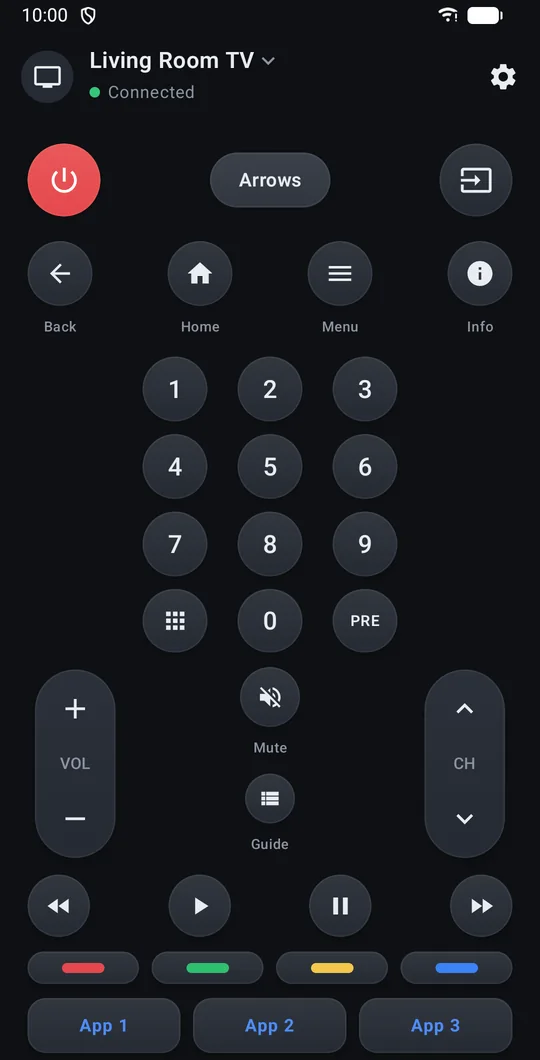
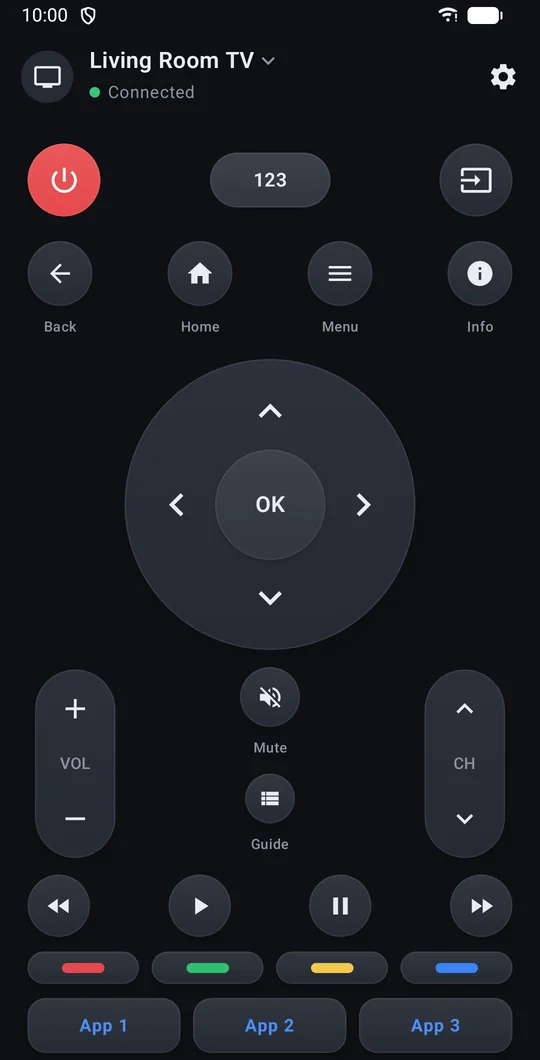
The number pad for entering a channel directly
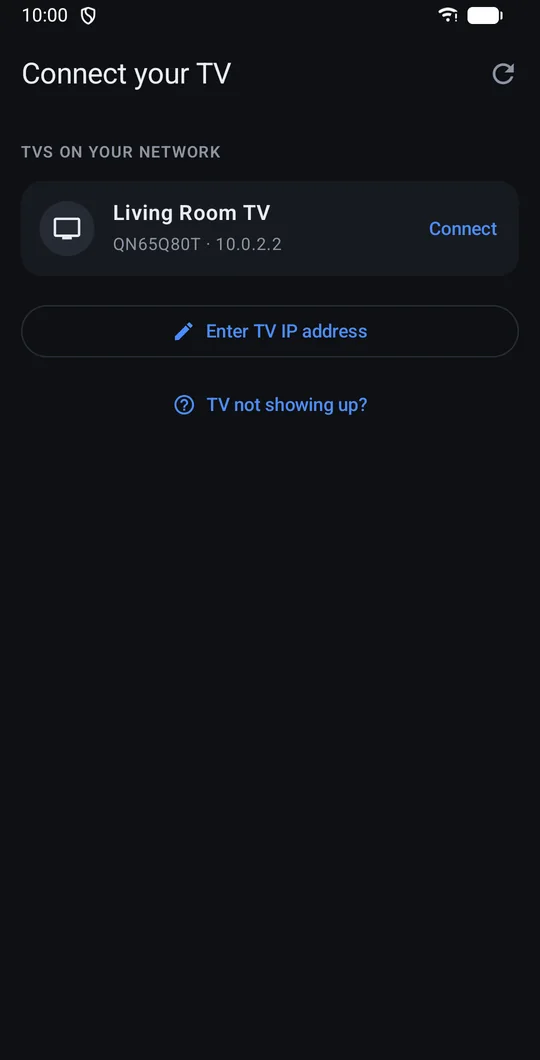
The app finding Samsung TVs on the local network
Unplug: Auto Offline app icon
Utility · Digital wellbeing

Unplug: Auto Offline

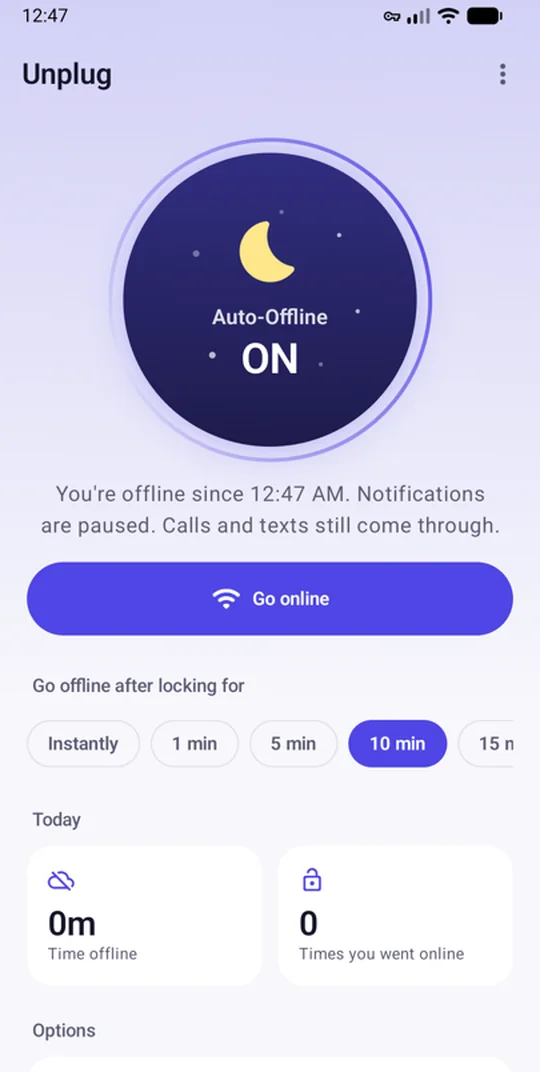
Your phone goes quiet a few minutes after you lock it, so notifications stop pulling you back in. Tap Go online when you decide to check. Calls and SMS keep working the whole time.

  • Pick the delay: offline instantly, or 5 to 60 minutes after the screen locks
  • Keep the apps you actually need online — maps, messages, your bank
  • No traffic is read, logged or forwarded — it simply does not leave the phone
On Google Play Local VPN, no server Android 8.0+
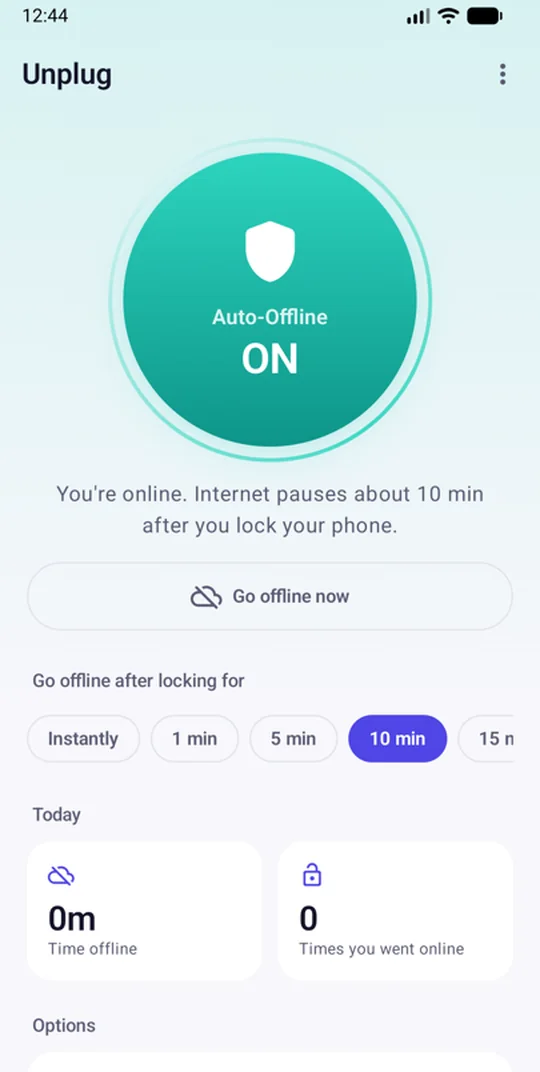
The Unplug home screen with the phone online
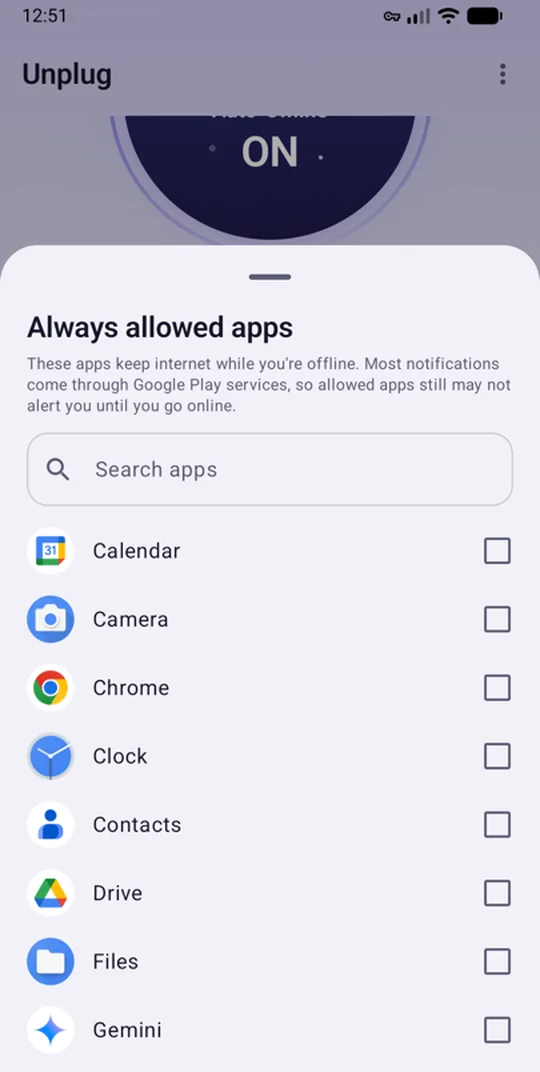
The Unplug screen for choosing which apps stay online
What we build

Two shelves: things that help, things that entertain

Utility tools are where we started, because the gap was obvious. Entertainment is where we are heading, with the same rules.

Shipping now

Utility tools

The small jobs your phone should already do well: controlling the devices around you, taming your own notifications, fixing a network annoyance, converting a thing into another thing. Fast to open, obvious to use, nothing to configure before it works.

Remotes · network helpers · digital wellbeing · device utilities

In the works

Entertainment

What you reach for once the work is done: companions for the screen you are already watching, quick games for a queue or a sofa, playful little things that do not ask for an account to be fun. Same promises — offline where it can be, quiet where it should be.

TV companions · casual games · party & group play

Our approach

Four rules we do not bend

They are easy to write on a website and harder to hold to when a shortcut would make more money. These are the ones we hold to.

01

One job, done well

An app that does six things badly is six problems. Ours do one thing, and the first screen is the thing you came for — not a tour, a tutorial or an upsell.

02

Your data stays put

We run no servers, so there is no account, no profile and nowhere for your settings to go. They live on your phone and they are gone when you uninstall.

03

Ads with manners

Our apps are free and carry Google ads. We pace them deliberately: never over a dialog, never while you are mid‑task, never two full‑screen ads in a row.

04

Ask for less

Every permission has to earn its place and be explained in plain words before it is requested. If a feature needs something invasive, we build the feature differently.

Privacy, in one paragraph

We cannot lose data we never collect

Ampliply has no backend. Nothing you do in our apps is sent to us, because there is no “us” to send it to — no account system, no analytics of our own, no crash service, no newsletter list. The one exception is advertising: our free apps show ads through Google AdMob, and the Google Mobile Ads SDK processes an advertising ID and device information to serve and measure them. In the EEA, the UK and Switzerland we ask for your consent first, and you can change your answer from inside the app at any time.

No account, no sign-in

Not even an optional one.

No analytics of our own

We do not know which buttons you press.

Uninstall is a full delete

Android removes everything the app saved.

Consent you can change

Ad privacy choices live in every app’s settings.

What’s next

The bench

Honest status: these are the directions we are actively building towards, not release dates. We would rather ship one good thing late than three rushed ones.

  1. More remotes, more devices

    The same Wi‑Fi approach applied to the other boxes under the television, and smarter discovery on awkward home networks.

  2. A small set of everyday tools

    The utilities people search for and then settle for: fast, offline, ad‑paced and free of the permission creep the category is known for.

  3. Our first entertainment app

    Something to do with the screen you are already in front of — built to the same rules, with no account and no leaderboard that needs one.

Tell us what to build

Is there an app you keep wishing existed?

If you have been looking for a tool and every option wanted an account, a subscription or half your permissions — describe it to us. That is exactly how both of our apps started.